
AWS Security Best Practices Checklist for lean engineering teams
An AWS security checklist helps teams avoid the same preventable failures: weak IAM controls, public storage, and broad network exposure. The challenge is that static checklists quickly become stale and hard to operationalize, especially when multiple teams ship infrastructure changes every week.
This checklist is designed for execution. It focuses on controls that reduce practical risk first, then strengthens evidence quality for customer diligence and SOC 2 readiness. Use it as a weekly review process, not a one-time document.
Checklist priorities
Identity and account hardening checklist
- Enable MFA on the root account and prevent routine root usage.
- Require MFA for all IAM users with console access.
- Review high-privilege policies and remove wildcard permissions where possible.
- Rotate or remove stale access keys and disable inactive identities.
- Use short-lived credentials for automation instead of long-lived static keys.
Storage and data protection checklist
- Enable S3 Block Public Access account-wide and confirm exceptions are intentional.
- Review bucket policies and ACLs for anonymous or broad cross-account access.
- Enforce default encryption for buckets storing customer or sensitive internal data.
- Enable access logging for critical buckets used by production workloads.
- Tag sensitive buckets and apply stricter review workflows for policy changes.
Network and detection checklist
- Audit security groups for inbound rules open to the internet on sensitive ports.
- Restrict management interfaces and databases to known administrative sources.
- Enable CloudTrail in all active regions and verify centralized retention.
- Confirm log storage protection to prevent tampering or accidental deletion.
- Document alert ownership so findings map to response actions, not just dashboards.
Turn the checklist into a repeatable workflow
Manual checklists are useful for planning, but automated scans reduce review time and catch drift earlier. Run the checklist manually once to set expectations, then use Posturio to verify controls on each scan. This keeps your checklist connected to current infrastructure state.
Teams using this approach typically create a short weekly routine: scan, review top deltas, assign owners, and verify fixes. That cadence is easier to sustain than quarterly cleanup projects.
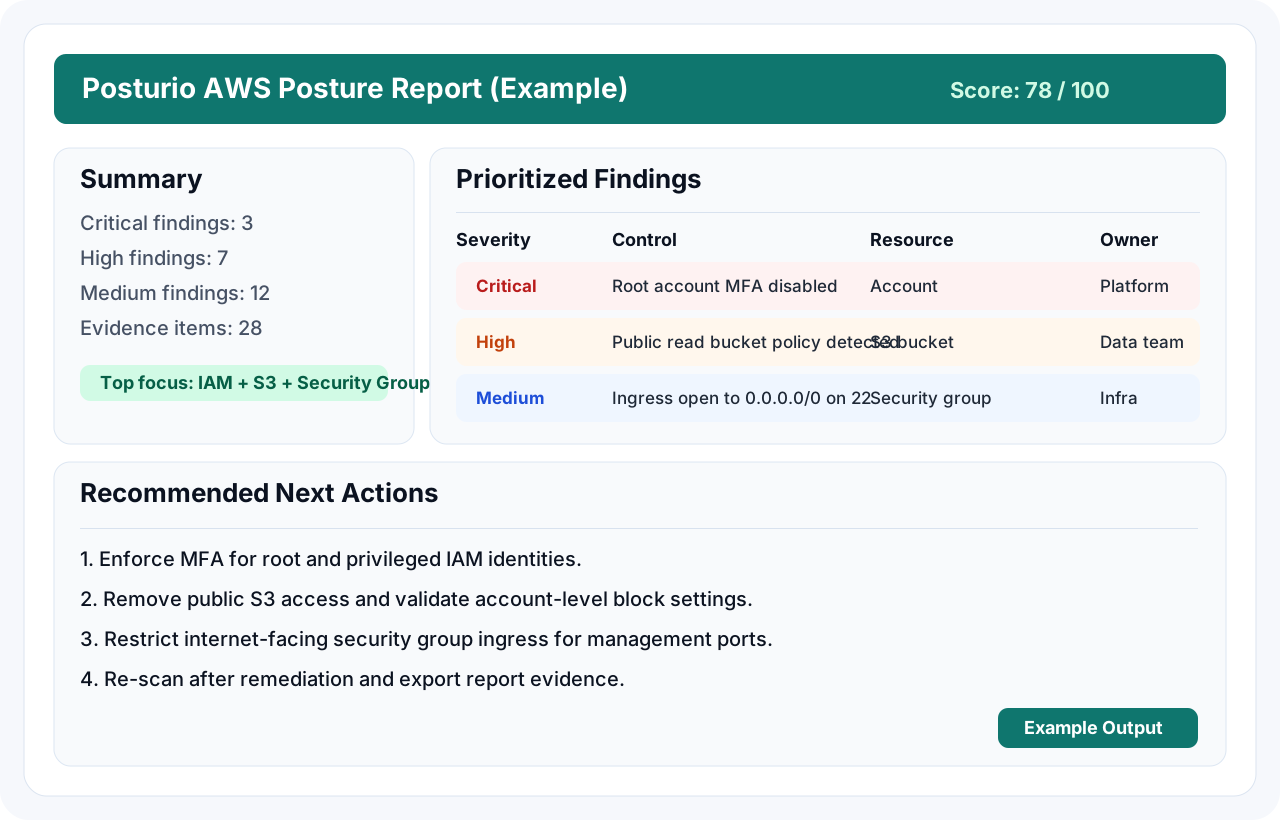
Example AWS posture score report generated by Posturio
This sample output shows how findings are prioritized with risk context and remediation guidance your team can act on immediately.
AWS security checklist FAQs
How often should this checklist be reviewed?
Weekly or biweekly is practical for growing teams. At minimum, run the checklist monthly and after major architecture or deployment changes.
Can startups use this checklist before SOC 2?
Yes. These controls are useful long before formal audits and help teams reduce risk while preparing for future diligence.
What should be fixed first?
Prioritize privileged identity issues, public data exposure, and internet-facing network misconfigurations because they create the largest immediate risk.
Does Posturio replace manual review?
It complements it. Manual review defines policy expectations, while automated scans continuously verify configuration state and surface drift.
Can we export evidence from scans?
Yes. Completed scans can be upgraded to reports and readiness outputs so teams can share findings with leadership, customers, and auditors.